From requirements
to running code. Autonomously.
An open-source desktop workbench that unifies AI-guided requirements engineering, architecture modelling, and multi-agent autonomous development — with humans in the loop where it matters.
Engineering discipline for agentic development.
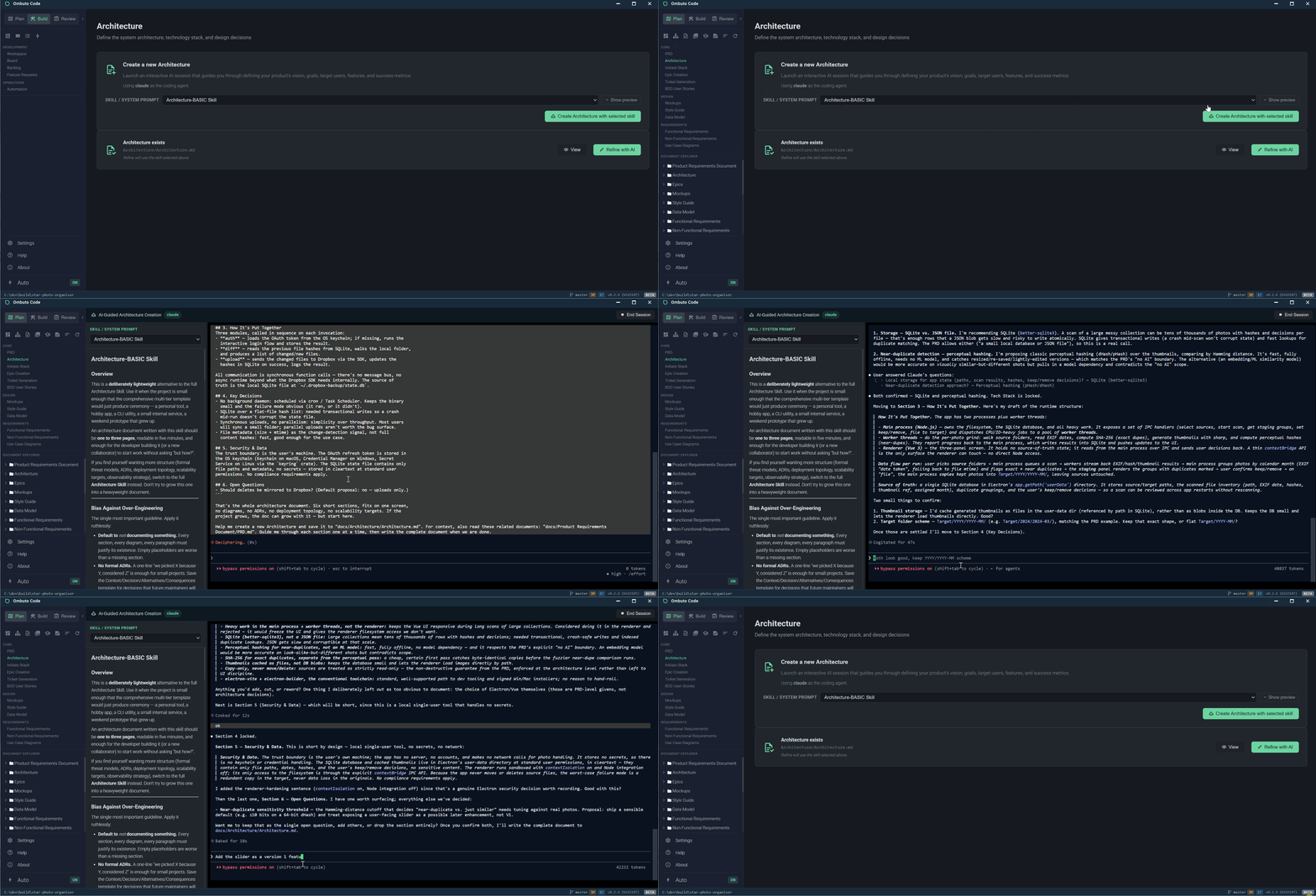
Every project starts with intent. Ombuto guides you through creating structured, linked requirements documents — with AI doing the heavy lifting.
PRD & Architecture
Create your PRD and Architecture interactively with AI. The agent walks you through each section, asking questions and building documents incrementally — each one building on the last.
Epics & Ticket Generation
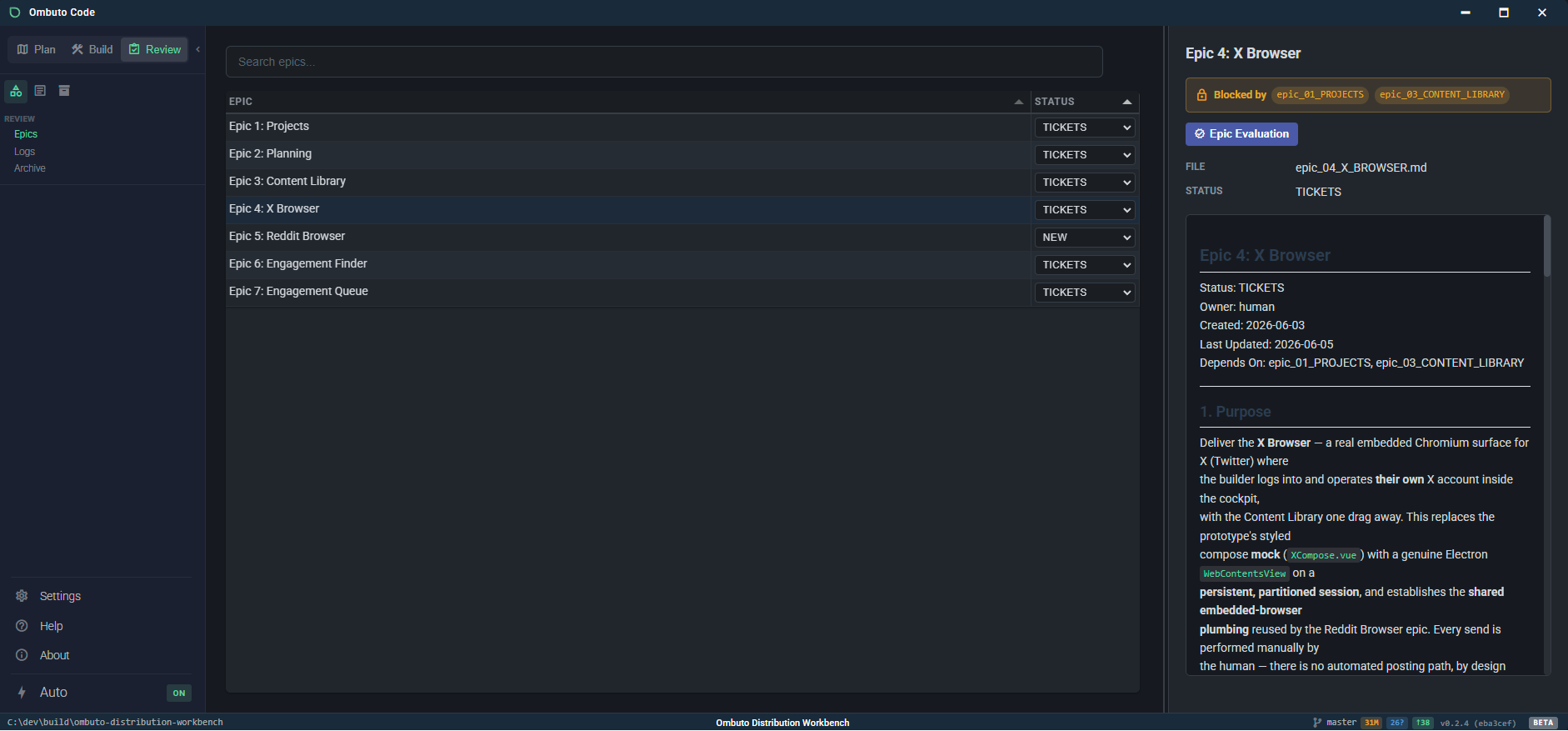
AI breaks your PRD into deliverable epics — each with scope, acceptance criteria, and cross-referenced requirements — then generates implementation tickets with dependency ordering, ready for agents to pick up.
Mockups & Visual Design
Link mockups to epics so coding agents see the target visual design when implementing UI tickets. Browse them in a gallery with lightbox preview.
Multi-agent autonomous execution.
Agents pick up tickets, write code in isolated worktrees, and submit for review. You stay in control.
Kanban Board & Backlog
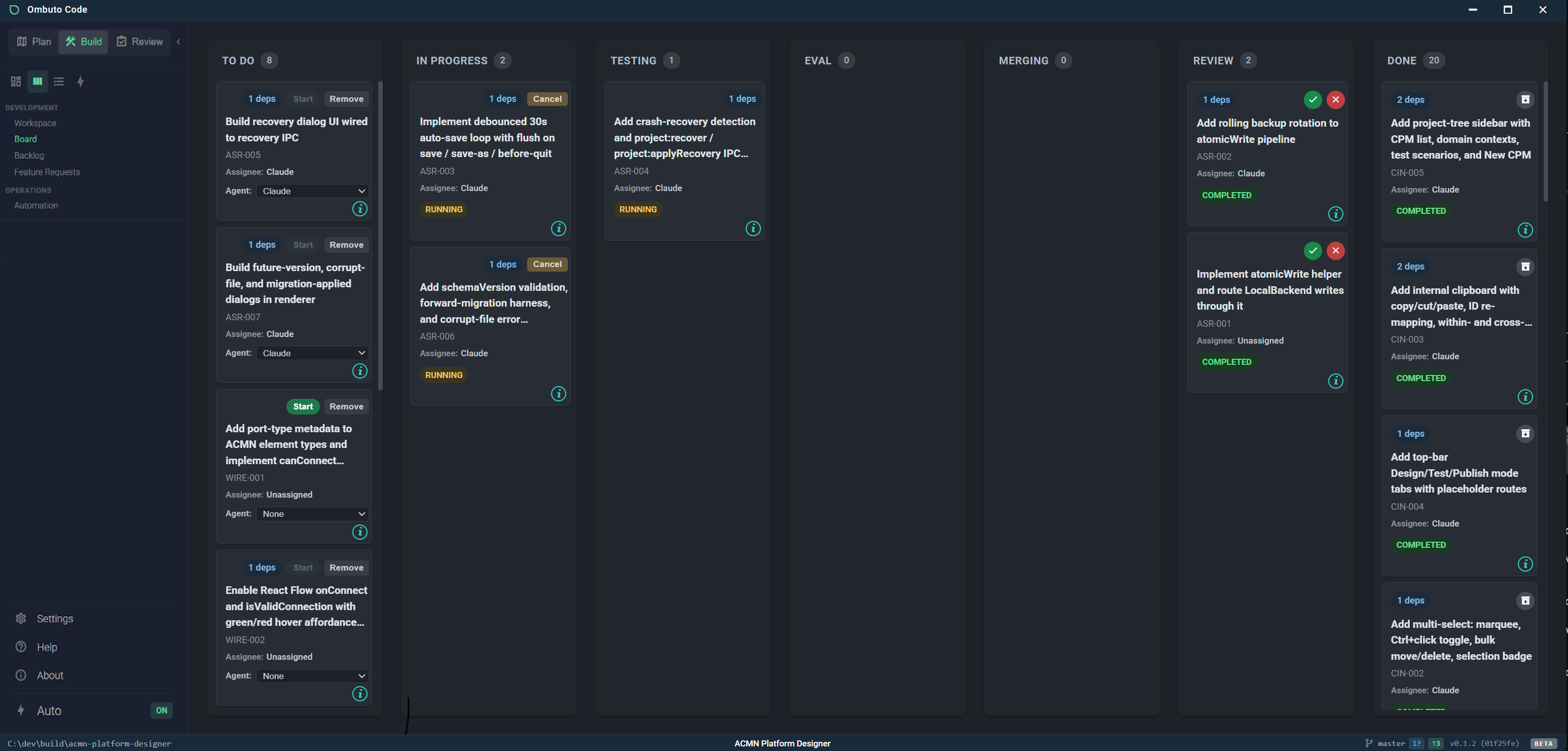
Manage tickets across workflow stages — backlog, todo, in-progress, review, done. Assign agents per ticket, track dependencies, view acceptance criteria, and watch real-time status updates as agents work.
Workspace & Git
Integrated terminal, Git status, commit graph, and branch management. Agents work in isolated worktrees so your main branch stays clean. The status bar shows branch, modified files, and ahead/behind counts.
Automation & Evaluation
The scheduler automatically assigns agents to todo tickets and manages concurrency and rate limits. Built-in evaluation validates agent output against acceptance criteria before it reaches human review.
Human-in-the-loop review & sign-off.
Nothing reaches your main branch without your approval. Inspect agent output against the spec, then merge it or send it back.
Diff & Acceptance Review
Evaluation against the acceptance criteria is documented directly on the ticket detail. Approve, request changes, or send it back for another pass.
Automatic Merge
Once evaluated, work merges automatically from its isolated worktree into your main branch — keeping a clean, auditable history with full traceability.
From idea to shipped code, fully orchestrated.
Reusable AI prompts as
first-class documents.
Skills are Markdown files in your project that act as system prompts for AI agents. Select a skill before starting any AI session to guide the agent's approach.
PRD Guide
Walks you through creating a structured Product Requirements Document.
Architecture Guide
Guides technology choices, component design, and system architecture.
Style Guide
Creates comprehensive UI style guides with colour palettes and typography.
Ticket Generation
Breaks epics into scoped implementation tickets with dependencies.
Mockup Generator
Creates SVG mockups and converts them to PNG for visual reference.
Custom Skills
Create your own — any Markdown file in docs/Skills/ becomes a skill.
Your team of AI engineers, managed.
Configure multiple coding agents with concurrency limits, cool-down periods, and connectivity testing. Each works in an isolated git worktree; Ombuto orchestrates them in parallel across your backlog.

Every great system starts with a single seed.
Free and open source. Get started in seconds with one command.